Klimek Automation
Get in touch

Microsoft 365 · Power Platform · Automation

Stop retyping data between email, Excel and forms.

I build automations inside Microsoft 365 - the tools your company already pays for. Requests, approvals and follow-ups stop depending on somebody's memory. No new subscriptions. Nothing new for your team to learn.

Describe your process by email You get a reply within 24 hours, with a clear yes or no.

Where the time goes

Most companies lose time not because of people, but because there is no system.

01

Manual retyping

The same data travels between email, Excel, forms and chat apps, copied by hand every time.

02

Slow processes

Tasks depend on people remembering, reminding and asking around. Things stall when someone is busy.

03

No visibility

Nobody knows who owns a case, what stage it is at and where the process is stuck.

A simple sequence

First the process gets organised. Only then does automation make sense.

1

Problem

Repetitive work, chaos, mistakes.

2

Process

We agree the steps, owners and data.

3

Automation

Power Automate, Microsoft 365, forms, notifications.

4

Result

Less manual work and more control.

Typical use cases

Concrete situations that can usually be fixed without building a big system.

These are not promises of a ready-made rollout for every company. They are the areas where an analysis usually starts.

Invoices / Documents

Order in documents and approvals

An invoice or document lands in one place, gets a status, an owner and a reminder. Less searching through inboxes, less manual chasing.

Warehouse

Shortage, receipt and dispatch reports

An employee reports a change through a simple form and the data lands on a list. The owner gets a notification and sees the status.

Sales

Leads and follow-up reminders

An inquiry from a form lands on an organised list, the customer gets a confirmation and the salesperson gets a reminder, so no lead gets lost.

Tickets / Complaints

One case number and a clear owner

Every ticket gets a number, a deadline and a responsible person. It is easy to check what is open, who owns it and where it is stuck.

Example automation

This is what a simple workflow can look like.

We do not start with a complicated system. We take one repetitive process and check where time can be won back.

Start Form or request

A customer or employee enters the data once.

System Power Automate

The flow saves the data, creates a task and triggers notifications.

Result Email · Teams · SharePoint

Case status, reminders and order, without manual chasing.

AI agent

I also build AI agents in Copilot Studio.

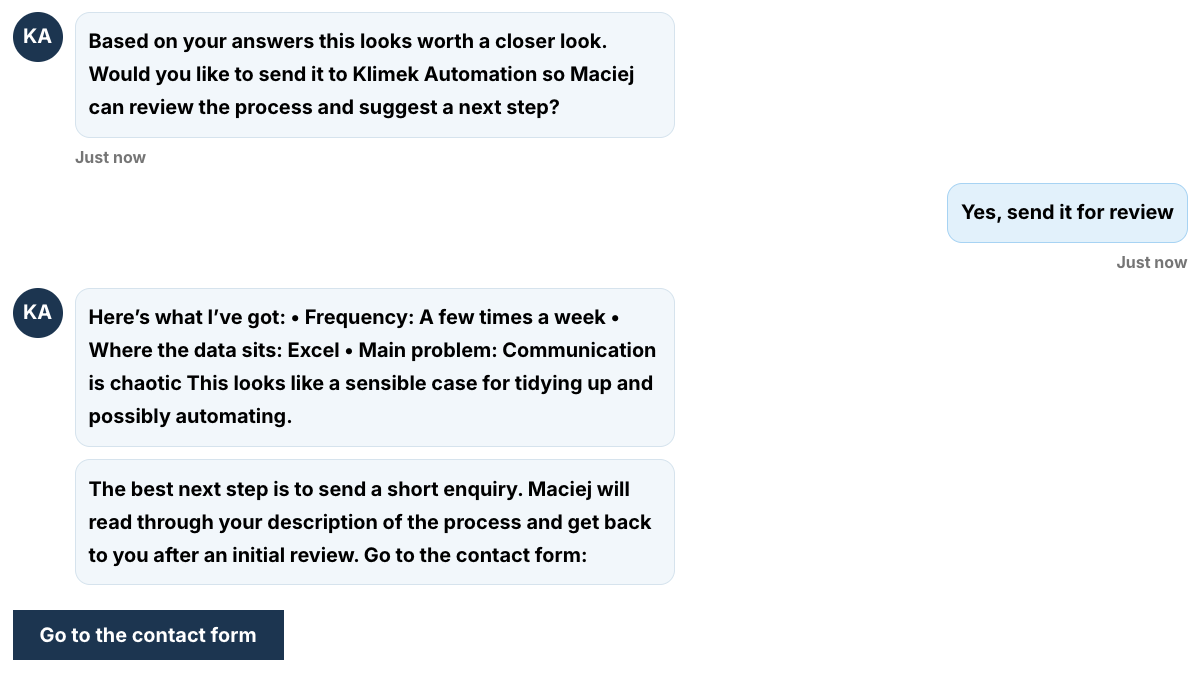
The assistant below runs live on the Polish version of this site. It pre-qualifies a visitor's process: asks simple questions, narrows down the problem and hands over a well-described inquiry before the first human contact. It is connected to the same automation pipeline as the contact form.

Process qualification Copilot Studio Microsoft 365 SharePoint · Outlook · forms
Why it matters: inquiries arrive already structured, so the first reply is a real answer instead of a round of basic questions.
The Klimek Automation assistant chatting with a visitor
The assistant in action. Interface in Polish - it was built for the Polish version of this site first.

Portfolio

Four documented builds. One consistent customer-handling system.

Expand a project to see how it works and screenshots of the build. Interfaces are in Polish - each caption explains what you are looking at.

Project 1 · automation

Automated handling of form inquiries

Form → Power Automate → SharePoint list → automatic emails. Inquiries stop getting lost, the sender gets a confirmation within a minute and the system sets priority and a follow-up date on its own.

MS FormsPower AutomateSharePointOutlook
See details +Collapse −

A visitor fills in a short form. The inquiry is saved to a SharePoint list with the full set of data, the sender immediately gets a confirmation email and the company inbox gets a summary with a link to the record. The system assigns a priority based on the declared intent and company size, and sets the follow-up date for the next day. Nobody retypes anything. Nothing gets lost.

What this gives the business: inquiries do not die in inboxes, the data lives in one place and the sender gets an instant confirmation. Maintenance cost: zero, because everything runs on the Microsoft 365 subscription the company already pays for.
01 Form

The sender describes the company, the problem and whether they want a proposal.

02 Power Automate

The flow collects the answers, saves the data and picks the right scenario.

03 SharePoint + priority

The inquiry lands on a list as a record with a status and a priority: high, medium or low.

04 Emails

The system sends a confirmation to the sender and the details to the process owner.

Project 2 · AI agent

AI agent for pre-qualifying processes

An agent on the website talks to the visitor, structures their problem and hands them to the form. Better-described inquiries before the first human contact.

Copilot StudioWebsitePower Automate
See details +Collapse −

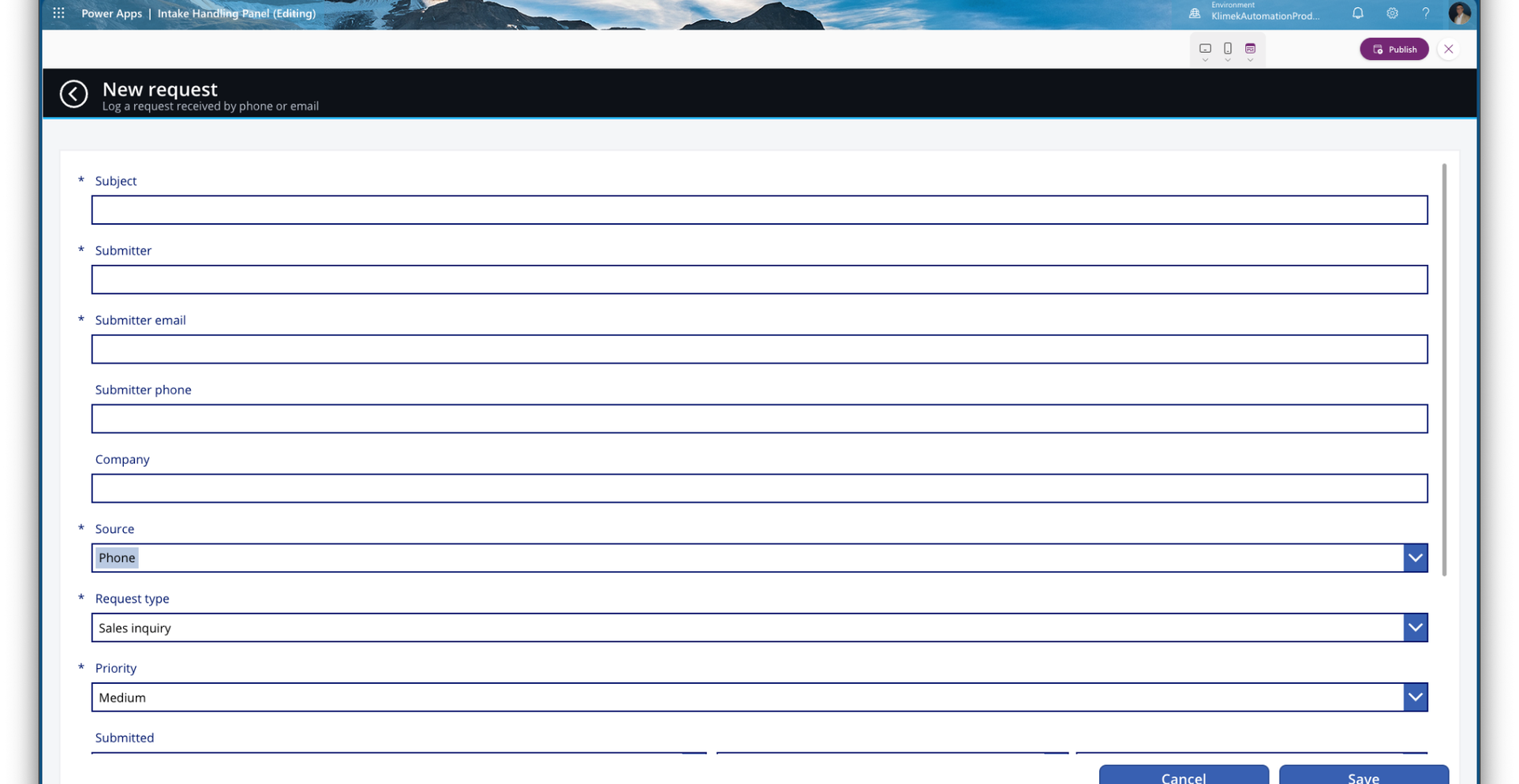
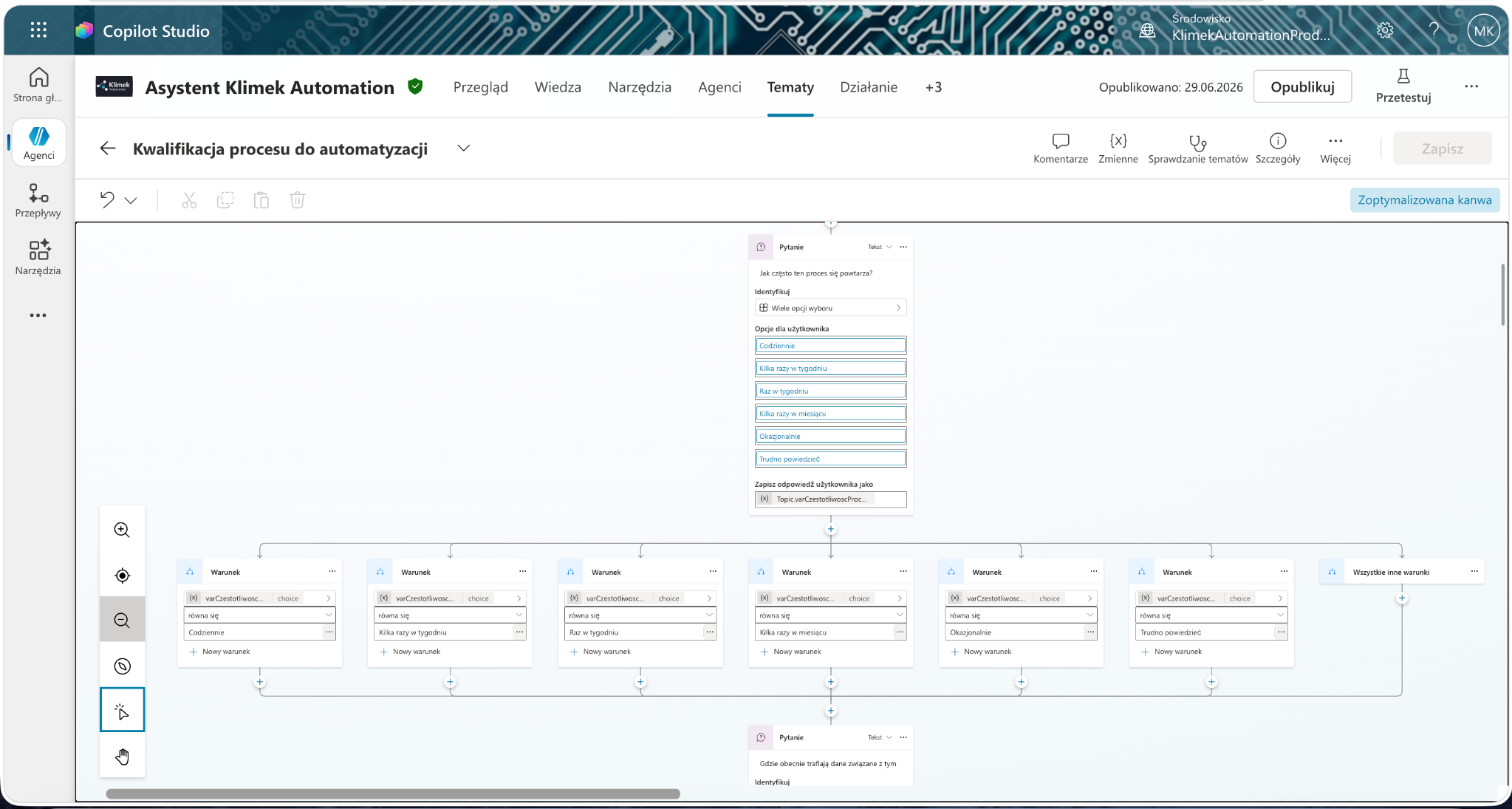
The agent is built in Microsoft Copilot Studio. It asks short diagnostic questions, recognises the problem without going too technical, and when the topic is worth analysing, it sends the visitor to the form. From there the standard pipeline takes over: SharePoint record, status, priority and a summary email.

What this gives the business: a better-described inquiry and less back-and-forth before the first real conversation. The agent works 24/7 and never forgets to ask the basics.
01 Website

The visitor opens the agent section and describes their process.

02 Copilot Studio

The agent narrows down the problem with short questions.

03 Form

After the chat, the visitor leaves a structured inquiry.

04 Automation

SharePoint list, status, priority and a summary email.

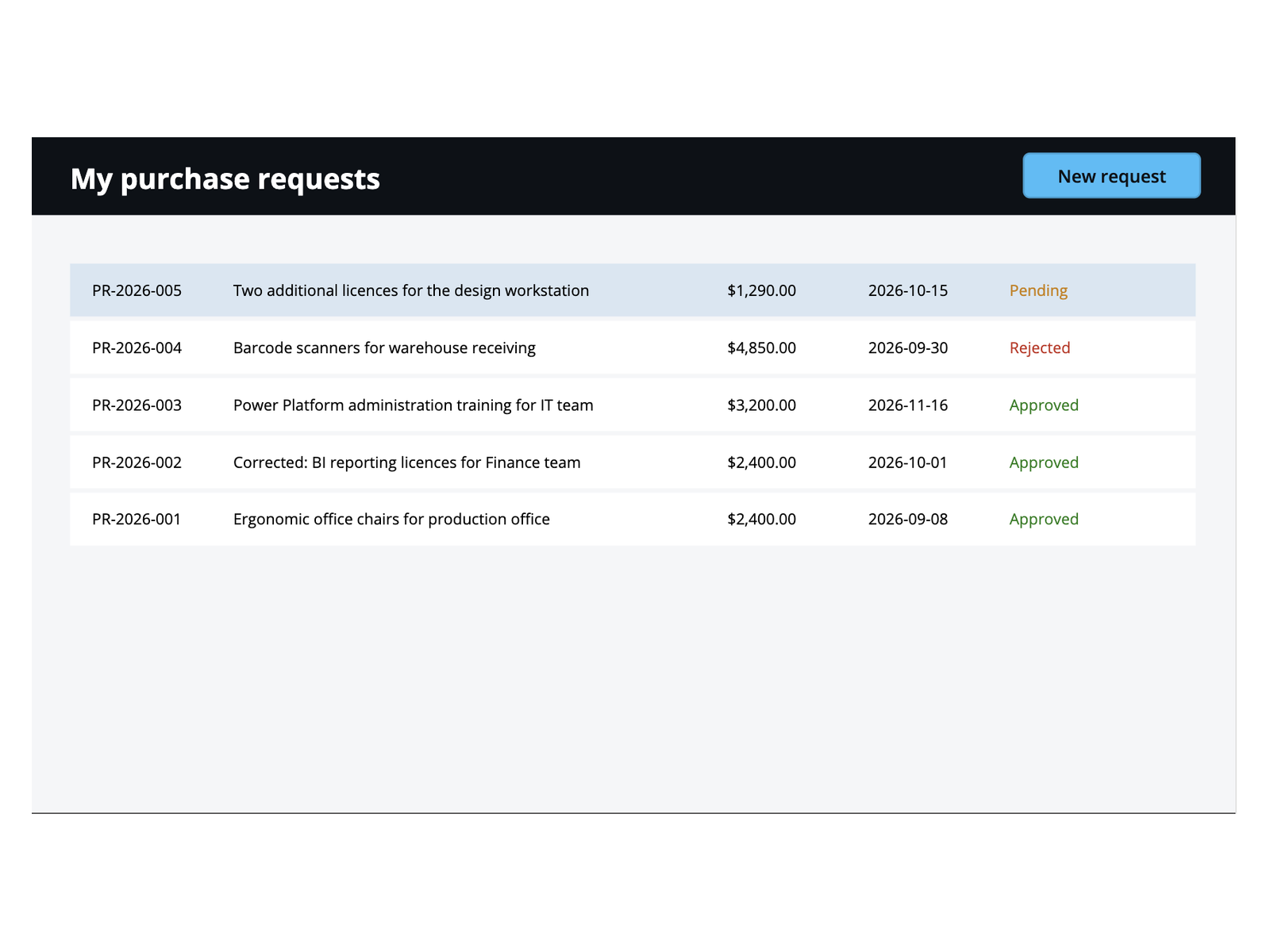
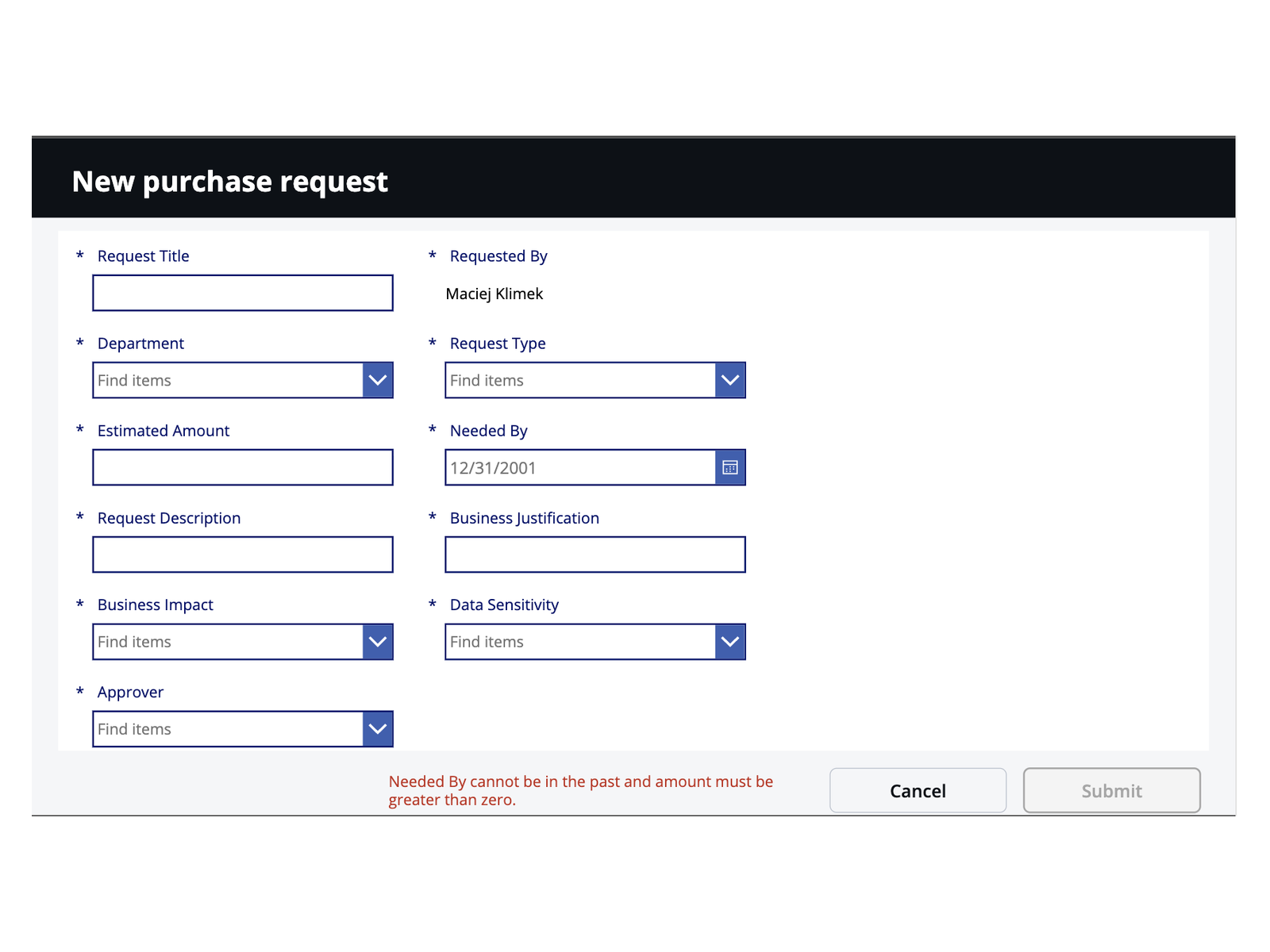
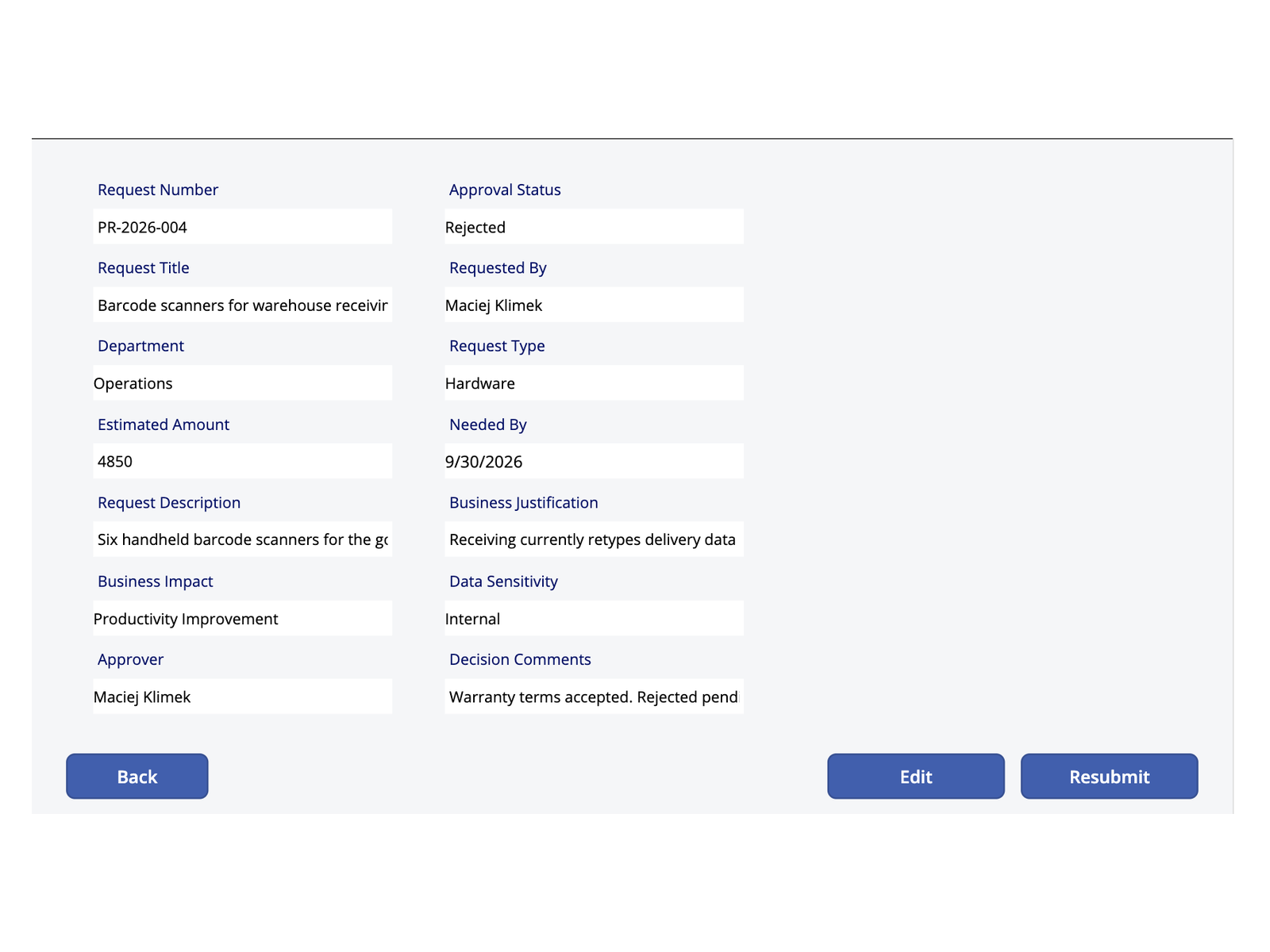
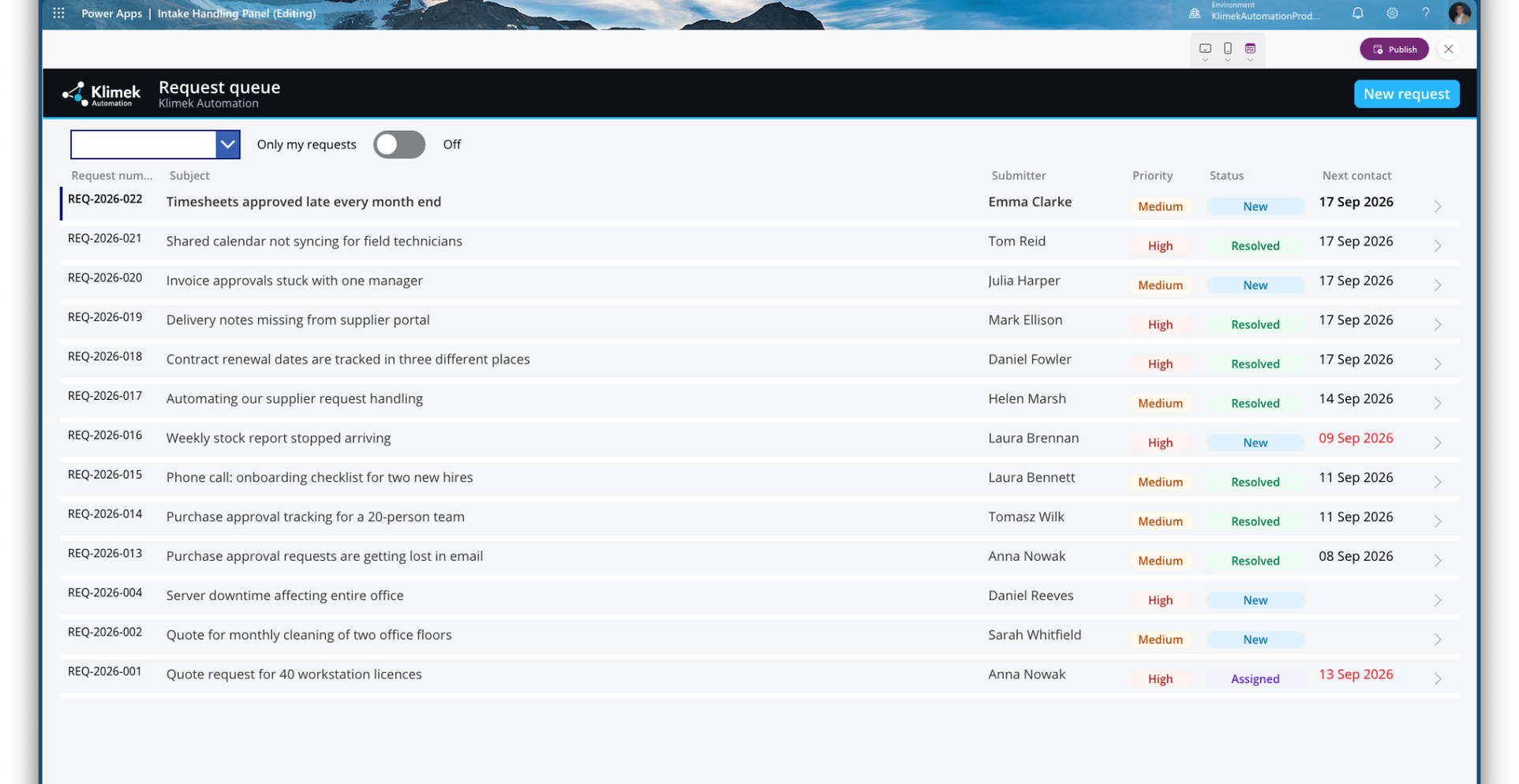
Project 3 · mini-CRM

LeadFlow - inquiry and follow-up system

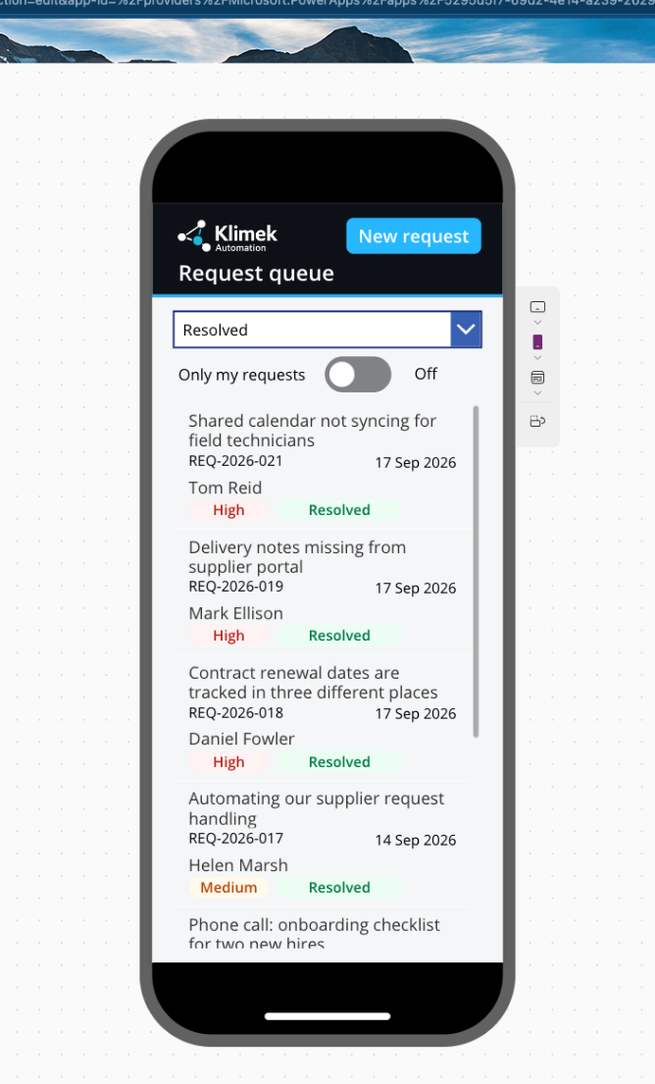
Inquiries, offers and reminders in one place. No lead gets lost, and overdue follow-ups trigger an automatic reminder every morning at 8:00.

MS FormsSharePoint / ListsPower AutomateOutlook
See details +Collapse −

LeadFlow closes the sales loop in a small company: an inquiry from a form lands on an organised list and the system takes care of statuses, offers and follow-up dates. Instead of scattered emails and notes there is one place that shows where every deal stands. Four flows run the process end to end.

What this gives the business: no inquiry gets lost, every offer has a date and a value, and overdue contacts trigger a morning reminder with a direct link to the case.
01 Form

The customer leaves an inquiry: contact, topic, description.

02 Power Automate

The flow saves the lead, sets the status and schedules the first contact.

03 SharePoint list

All leads in one place: statuses, priorities, offers, notes, contact dates.

04 Follow-ups

A daily 8:00 check emails the owner about every overdue contact.

Project 4 · AI in Power Automate

An AI agent that reads and triages inquiries

An extension of LeadFlow: AI reads each new inquiry within a minute, sets a priority, flags missing information and drafts the questions to send back.

AI Builder · GPTPower AutomateSharePoint / ListsOutlook
See details +Collapse −

Customers describe their problem in their own words - some give specifics, some just ask "how much is it?". A GPT model reads every new description, scores it against fixed rules and writes the result straight back to the list: priority, what is known, what is missing and what to ask. The owner clicks nothing and knows which deal to start the day with.

What this gives the business: every inquiry has a priority and a note within about a minute. Specific leads do not wait, vague ones do not eat time. Once a day the owner gets a single digest of inquiries that need follow-up questions.
01 New inquiry

A record appears on the LeadFlow list and triggers the flow.

02 AI analysis

The GPT model reads the description and returns a verdict in a fixed, checkable format.

03 List update

The flow fills in priority, a "needs more info" flag and a note with ready-to-send questions.

04 Daily digest

One email a day lists the inquiries that need clarification.

How we work together

No grand theory. First we check if there is anything worth improving.

Step 1

You describe the process

One email is enough: what eats your team's time and what is done by hand.

Step 2

Free analysis

I check whether the problem can be simplified, organised or automated. If automation does not pay off, I say so.

Step 3

Fixed-scope proposal

You get a concrete direction and a fixed price before any work starts: what to build and what to leave alone.

What you gain

Less manual work. More control over the process.

Fewer mistakes

A request comes in and lands on a list with an owner and a deadline. Nobody copies it anywhere, so nothing gets mistyped.

Faster handling

You open one list in the morning and see what is urgent. Confirmations and reminders have already been sent while you slept.

A quieter head

You stop carrying open cases in your memory. The system reminds the right person at the right time, every time.

Cost and payback

Let's count before we talk technology.

A typical repetitive process ~20 hours a month

In a company handling around 80 inquiries a month, retyping data, sending confirmations and chasing replies takes about 20 hours. That is two and a half working days, every month, spent on work nobody enjoys.

The same process after automation ~4 hours a month

Inquiries file themselves, confirmations go out within a minute and a daily digest lists what still needs a human reply. What is left is the actual answering - the part that needs a person.

One process, one fixed fee, agreed before work starts. Monthly maintenance: zero, because the build runs on the Microsoft 365 subscription you already pay for. The only exception: an AI agent has a small usage cost, typically a few dollars a month at small-company traffic.

Working process guarantee

I fix the build until it works exactly as agreed in the analysis - at no extra cost. The risk sits on my side of the table, not yours.

For the first 30 days after launch I stay available: questions, small fixes and tuning are included. You are not left alone with the system.

Included in every build
  • Analysis before any quote - I first check whether automation pays off for you at all. If it does not, I say so.
  • Process documentation - a plain-language description of how the system works and what to do when something changes.
  • A walkthrough video for your team - a short recording of how to use the system. A new employee watches a few minutes instead of asking around.
  • 30 days of post-launch support - because the first weeks show what still needs tuning.
An honest caveat

Automation will not replace a human talking to customers, pricing a job or making a decision. It replaces retyping and chasing. I do not pitch headcount cuts - I help you avoid hiring another person for the same busywork. And I am a one-person operation: if you need a large team for a huge system, I am not the right fit. If you need one process fixed well, I am.

A note on scheduling: I work solo and take on at most 3 builds a month, because I run each one personally from analysis to launch. Slots are assigned in order of inquiry.

Email me your process A short exchange, a concrete answer, no obligations.

About me

A practical approach to automation.

I did not start in IT. I have worked in manufacturing, warehousing, assembly, complaints handling and work organisation. That is why I look at automation practically: process first, then tools. Based in Poland (CET), working remotely.

Process Automation AI

See where your company can win back time.

Describe one repetitive process in an email. Within 24 hours you will know whether automation makes sense in your case - a clear yes or no.

Quick contact