Receive
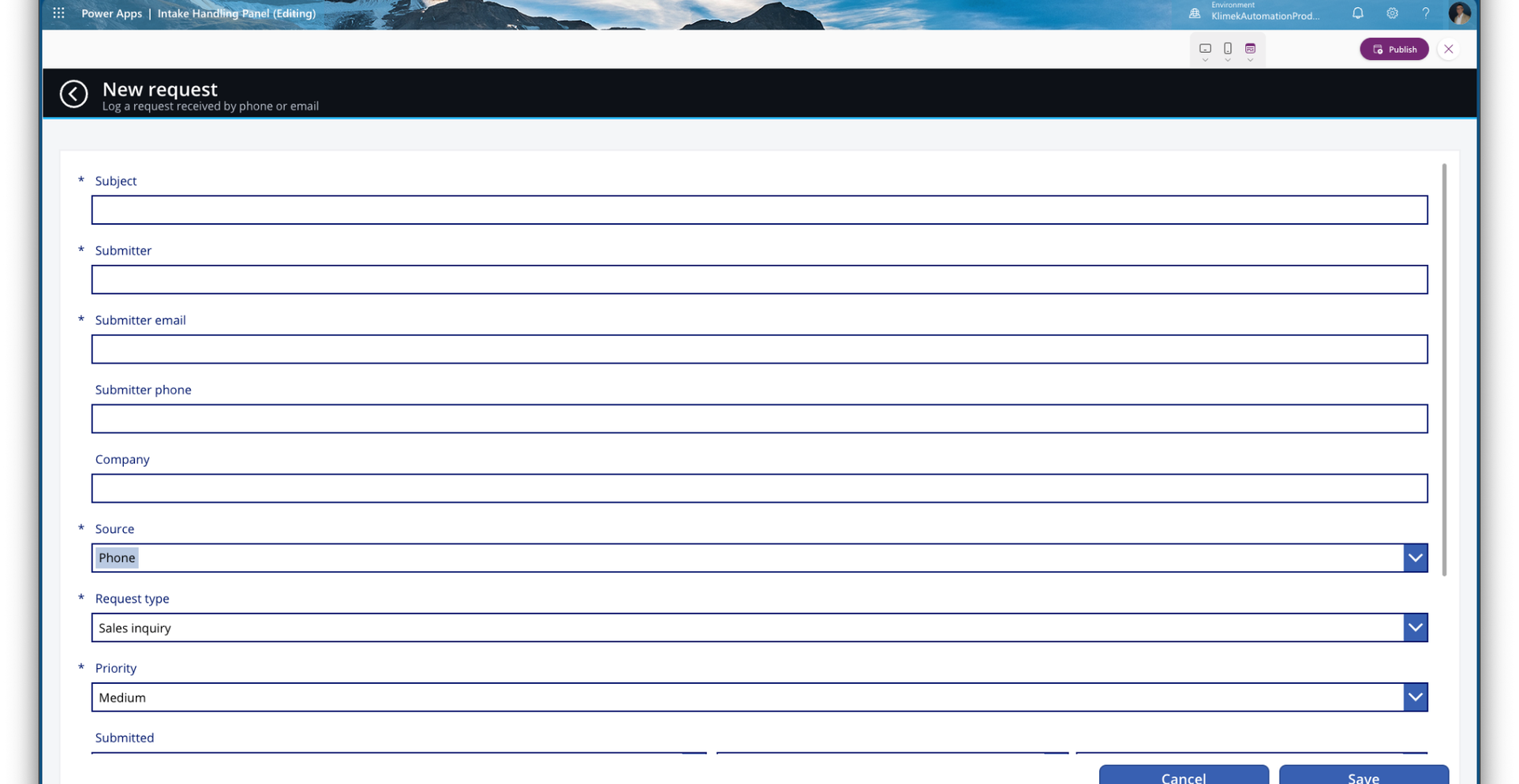
A form creates a request. An employee enters phone and email cases in the app.
My own Power Platform project
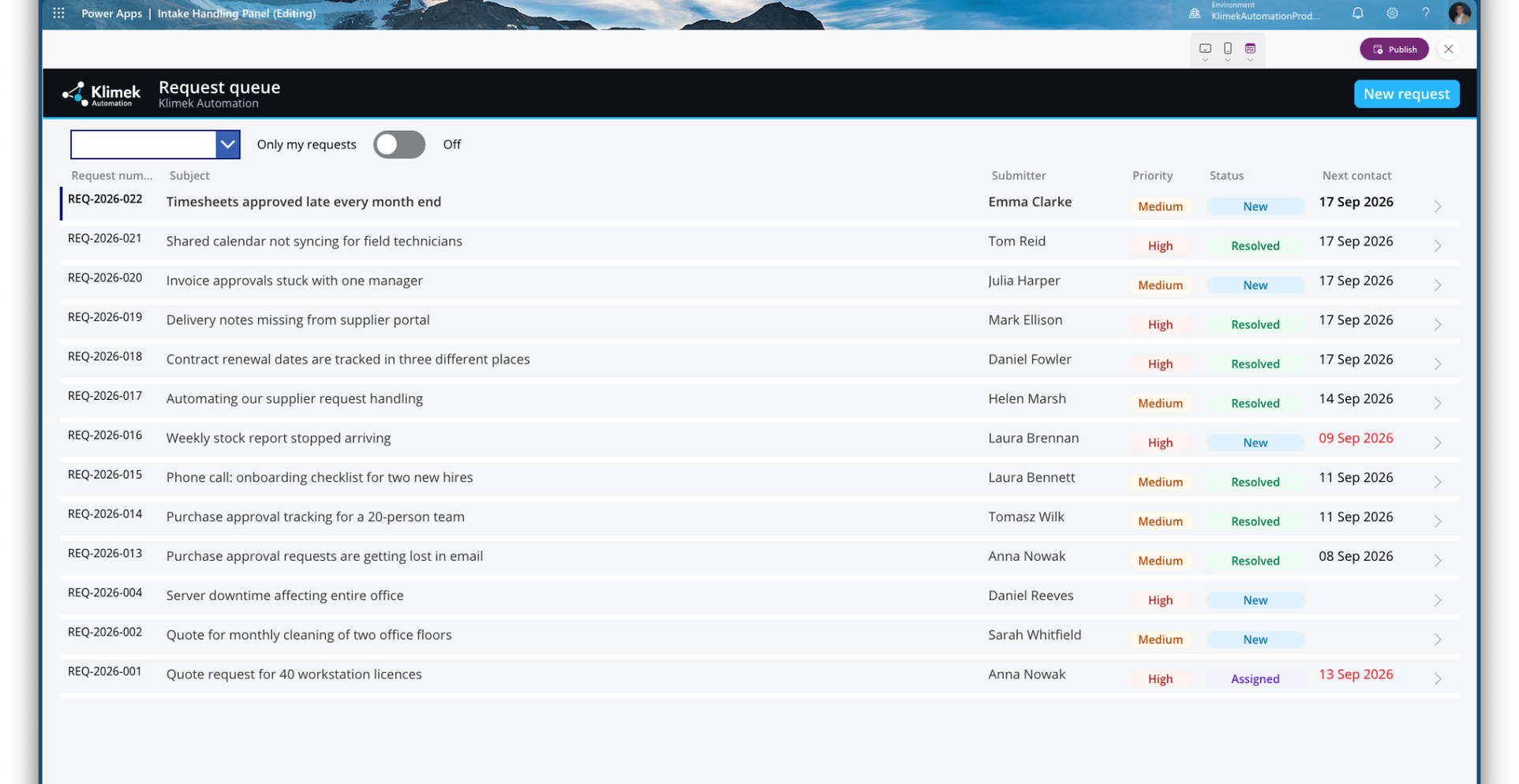
Form submissions and cases entered after a phone call or email go into one register. The team can see who owns each case and what should happen next.
Starting point
When cases are scattered across inboxes and spreadsheets, it is difficult to see who should reply or whether a deadline has passed.
The workflow
One problem, clear steps and a visible result.
A form creates a request. An employee enters phone and email cases in the app.
Each case receives a number, owner, priority and status.
Next-contact dates, reminders and escalation help the team keep track of open cases.
The team closes or reopens the case while retaining earlier activity records.
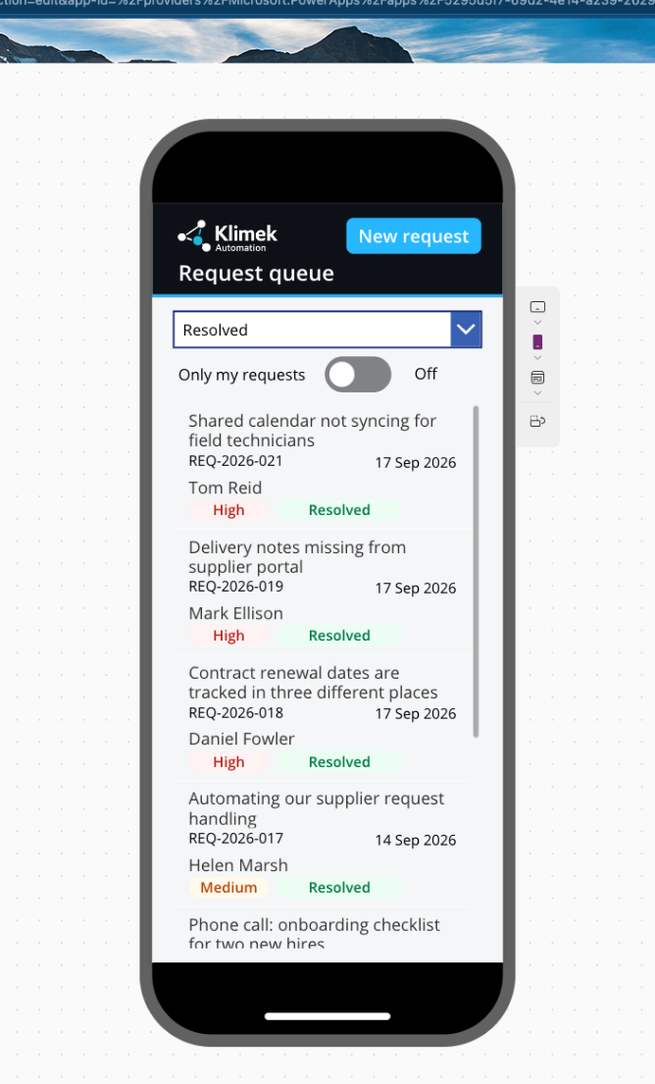
The working app shows the queue, details and a new-request form on desktop and mobile. Flows handle numbering, form intake, deadlines and closure. AI classification is optional.
What connects this project
Optional AI classification uses an AI Builder prompt and a Dataverse connection. It is a separate option with its own licensing and cost checks. The core workflow operates without it.
Fit
Scope and requirements
This is my own portfolio project. A client deployment requires mapped SharePoint lists and connections, agreed roles, statuses and deadlines, and testing. AI classification needs separate configuration and a licensing and cost review.
Let's discuss your task
Tell me how your team works today and what you want to change. You do not need a ready specification or technical knowledge.
We briefly check the fit. Detailed investigation, building or repair is agreed as paid work.
Use a general description without confidential customer data. Privacy policy.